项目页:http://code.google.com/p/agile-carousel/
JQuery版本:JQuery 1.2.x
部分效果需要jquery ui
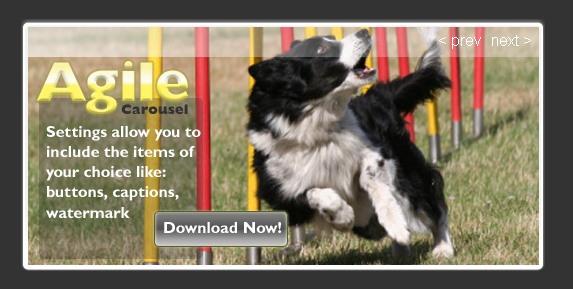

使用例子:
加载脚本
<script src="http://ajax.googleapis.com/ajax/libs/jquery/1.2.6/jquery.min.js"></script>
<script src="slide_behavior_min.js"></script>
<script type="text/javascript">

 $('#slide_holder').agile_carousel();

</script>
HTML代码
<div id="slide_holder"></div>
如果想使用更多效果,看carousel.html文件的例子
<script src="http://ajax.googleapis.com/ajax/libs/jquery/1.2.6/jquery.min.js"></script>
<script src="http://ajax.googleapis.com/ajax/libs/jqueryui/1.5.2/jquery-ui.min.js"></script>
<script src="carousel_behavior_min.js"></script>
<script type="text/javascript">

 $('#slide_holder').agile_carousel({
 first_last_buttons: "yes",
    hover_next_prev_buttons: "yes",
    next_prev_buttons: "yes",
    pause_button: "yes",
    slide_buttons: "yes",
 slide_captions: "JQuery Carousel Plugin|Agile Slide Types|JQuery UI Effects Available|Agile Settings|Carousel That's Built to Order",
    slide_directory: "slides",
  slide_links: "http://code.google.com/p/agile-carousel/downloads/list,http://code.google.com/p/agile-carousel/downloads/list,http://code.google.com/p/agile-carousel/downloads/list,http://code.google.com/p/agile-carousel/downloads/list,http://code.google.com/p/agile-carousel/downloads/list",
    slide_number_display: "yes",
    timer_length: "7000",
 transition_duration: 1000,
 transition_easing: "easeOutBack",
    transition_type: "carousel",
 water_mark: "yes"
  });

</script>
slide_captions是图片说明文字用“|”分割,slide_directory是设定图片的目录,slide_links是图片的链接URL用“,”分割
HTML代码
<div id="slide_holder"><img class="loading" src="images/ajax_loader.gif" alt=""></div>
详细说请访问http://code.google.com/p/agile-carousel/
感觉用它做广告不错,如果想使用全部效果还需要加载jquery ui,并且需要php环境,该插件中有个make_slides.php文件,用来读取图片目录中的图片。由于是遍历图片目录,所以不适合在图片目录放过多的图片。
